         '\     /`
      ___  \___/  ___      HONEYBEE BASH / BEE.SH
     /   \ (0 0) /   \     _________________________________
    |  M  |  X  |  M  |    AUTONOMOUS MAINTENANCE
    |_____/ @@@ \_____|    QUAD-TIERED RISK MITIGATION
            @@@@@          SIGNATURE + HEURISTIC + LLM
             @@@           _________________________________
              V            SCIKIT PANDA SECURITY RESEARCH
The direct Bash-to-Kernel orchestration tool.
Welcome, You have found HoneyBee Bash !
HoneyBeeBash is a A lightweight, LLM-geared Bash tool for autonomous server maintenance.
Bee was developed to assist the user with server maintenance.
Bee provides deep discovery and executable solutions while maintaining strict control over system impact
By operating directly in Bash it eliminates traditional middleware, securing the execution layer through a Quad-Tiered Command Validation architecture.
With a vast scope of system and script knowledge your Bee's can cope with many distros giving them the ability to handle a large variety of server review and maintenance tasks.
Bee.sh is the premier solution for autonomous server orchestration.
Highly cost-efficient: Run a smart 'Bee' for dollars per day using cloud LLMs, or $0 using local models.
✔ Autonomous maintenance
✔ Quad Layer Risk Mitigation
✔ Local lockdown LLM support
✔ Real-Time heuristic training
✔ Monitor and control all bees
✔ Runs on Linux & Windows WSL
» Ask about system details
» Audit status of services
» Repair broken configs and packages
» Compile status or warning reports
» Explain a technical statement
» Command Bee in plain english
[INSTALL] MyRig$: Install honeybee for Linux Windows Android
🐝 Autonomous maintenance
Bee can handle a variety of support and maintenance tasks. In short if the LLM understands the task then Bee can fulfill the job.
- Inform the user: Answer questions about the system.
- Service checks: Test and enable or restart services.
- Resource management: Purge and free resources.
- Troubleshooting: Directed troubleshooting and adjustments.
- System optimization: Detect and resolve resource bottlenecks.
- Audit capabilities: Review, report and mitigate access issues.
Bee will answer system questions by adding a ? character after your prompt. This allows you to easily obtain nearly all system information with ease.
View examples
🐝 Quad-Tiered Command Validation
The quad tier defence brings black and whitelist guarantees as well as dynamic training and learning capabilities.
- Signatures: Instant Whitelist/Blacklist/Replacement Command enforcement.
- Job-Separation: Isolated rule sets. Policies applied globally or granularly per Job.
- Heuristics: Behavioral pattern recognition powered by SciKit-Learn.
- LLM Analysis: High-level cognitive reasoning using local Ollama or cloud-scale Gemini.
Unlike restrictive MCP implementations that cage the AI, Bee is empowered with a Royal Mandate, protected by a Quad-Tiered defense system. It’s the difference between a tool that talks about fixing things and a Bee that actually does it.
View examples
🐝 Real Time actions and approval
Bee runs in the shell providing real-time progress and feedback. It informs the LLM of its environment and asks a question for the next command. Each suggested command is scanned by the quad-tier defence mechanism.
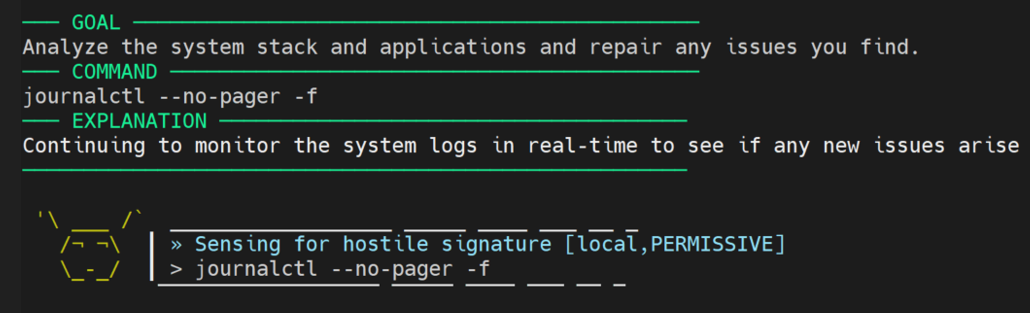
Manual approval
Commands that require manual approval are shown and can be approved from within the shell by answering the question.
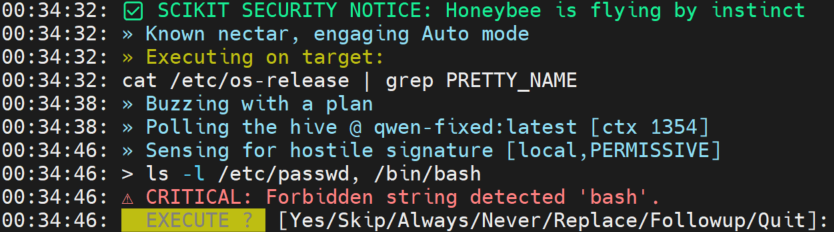
Training and execution
After answering the system will be trained on it and the job dataset will be updated. After this the command is executed and results presented to the LLM model.
Notify by email
Notification of results, warnings or errors is possible by instructing Bee to place such notification in a file and have the tools/notify.pl script running from crontab to detect if the file has contents and if so transmit them by email. By default the file is removed for reuse.
🐝 Monitor and control
Monitor aspects of the system, the Bee's and their reasoning and processing. View the logs, alter configs, track output and stats. Keep an eye on the quality of operation and adjust in real-time.
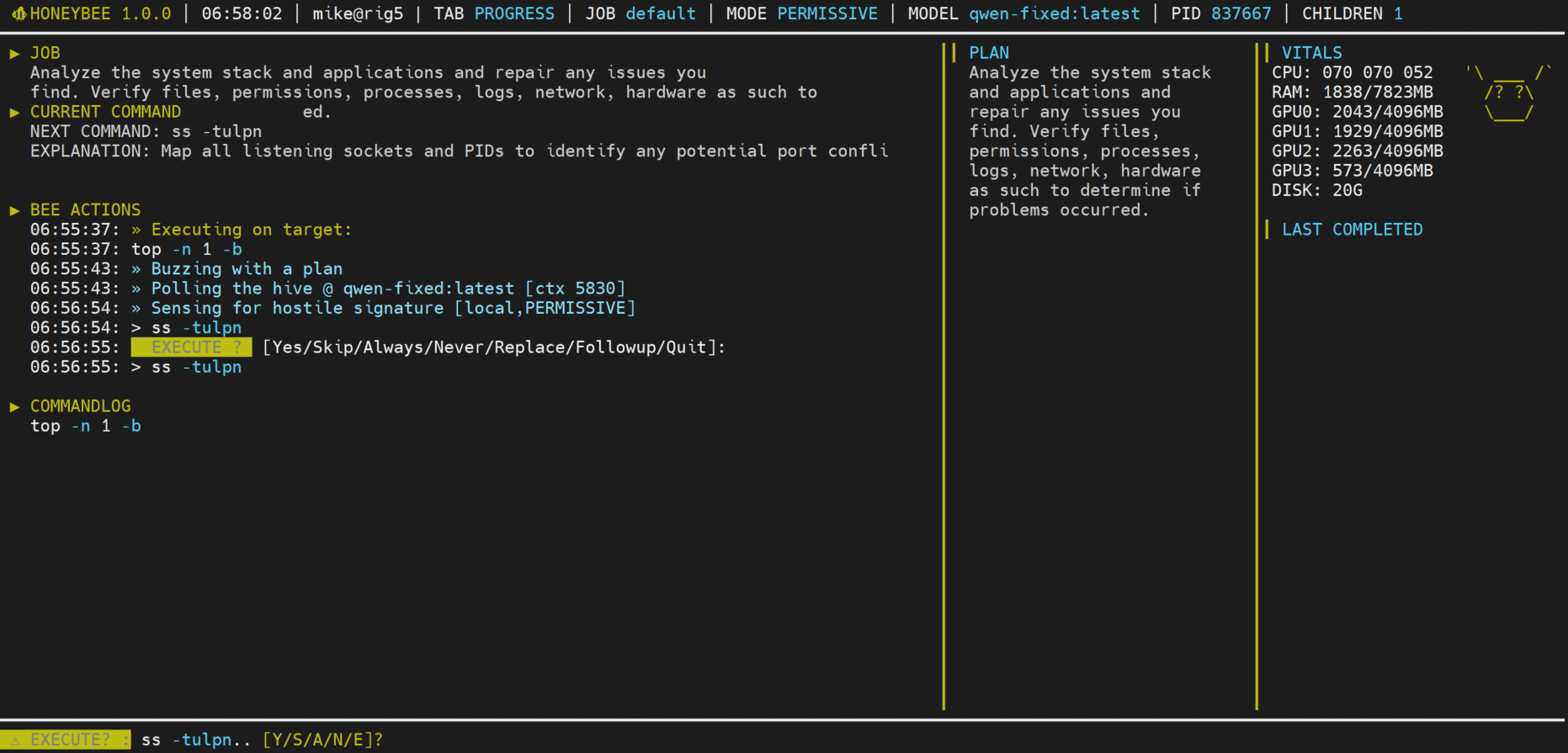
✔ Monitor running Bee's and their progress
✔ View logfiles, alter configs, view status
✔ Relayed Bee Manual Execution control
✔ Review passed jobs, history and reasoning
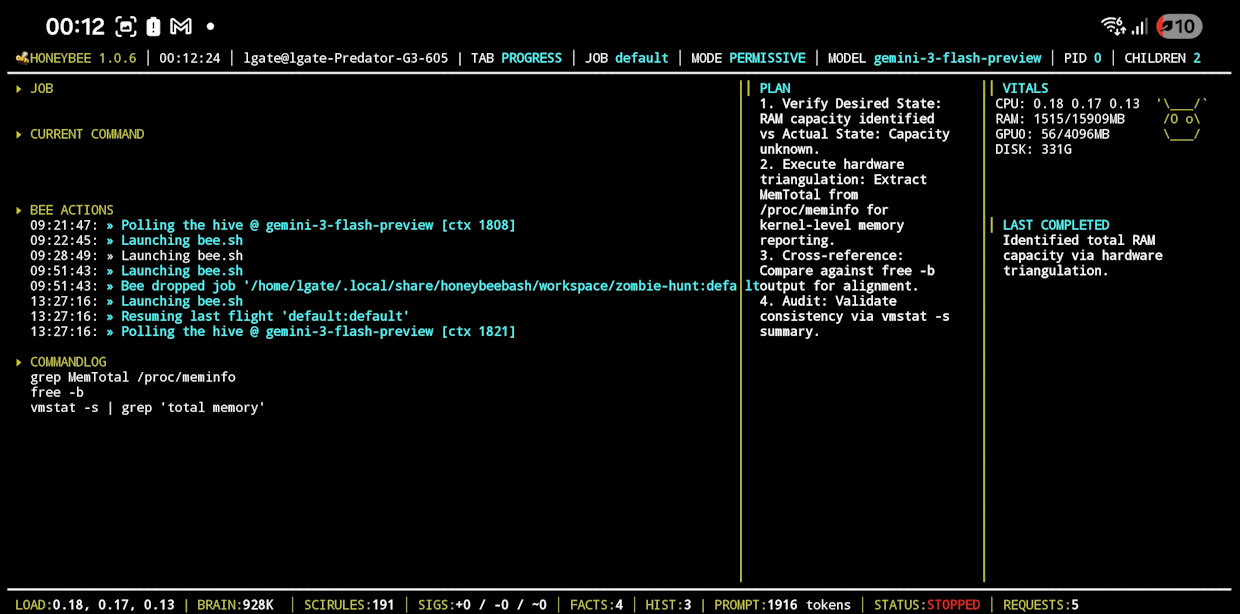
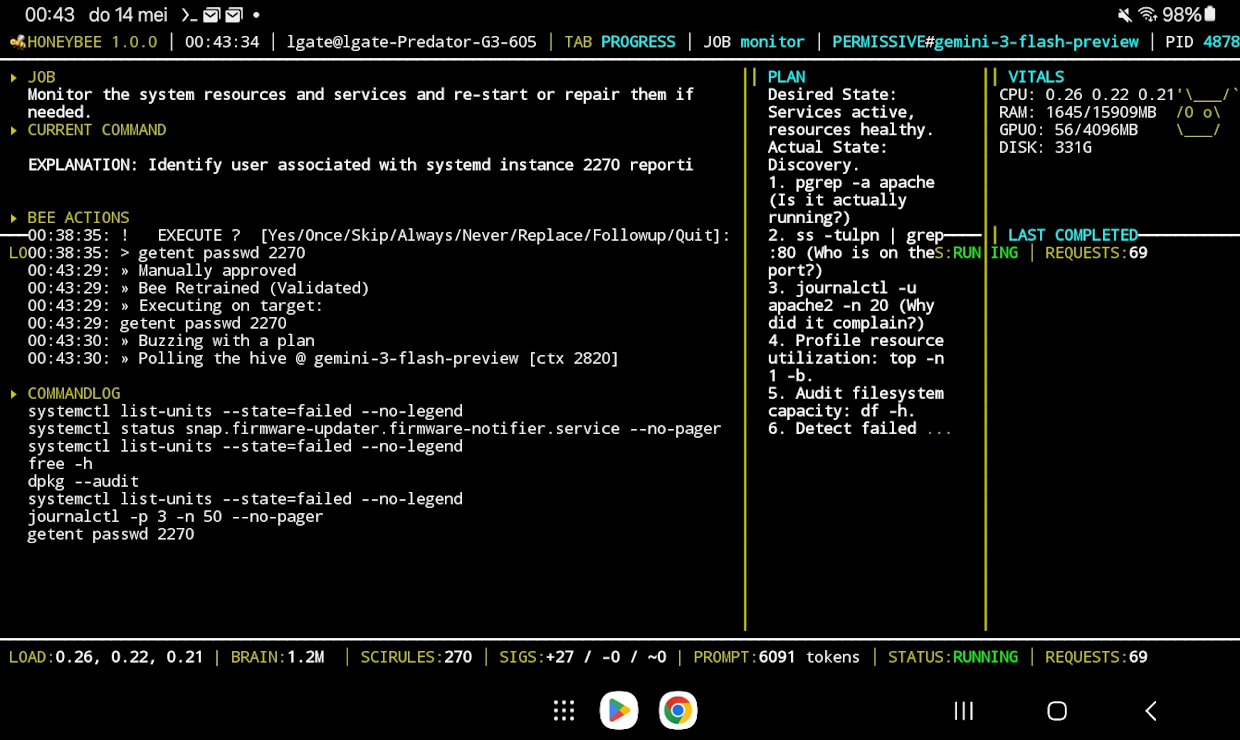
Mobile usage
Bee and the monitor also run on mobile tools like Termux.
Beware of using these on public Wifi, WANs and other public points.
🐝 Hive Hub
Hive Hub is where users of Bee can share and download datasets for various distros and jobs. A range of distros are supported and can be contributed to.
✔ Find reviewed and approved datasets
✔ Distro specific datasets
✔ Community contributed progress
✔ Vote based listings
View rulesets on HiveHub
🐝 Hive & Swarm Management
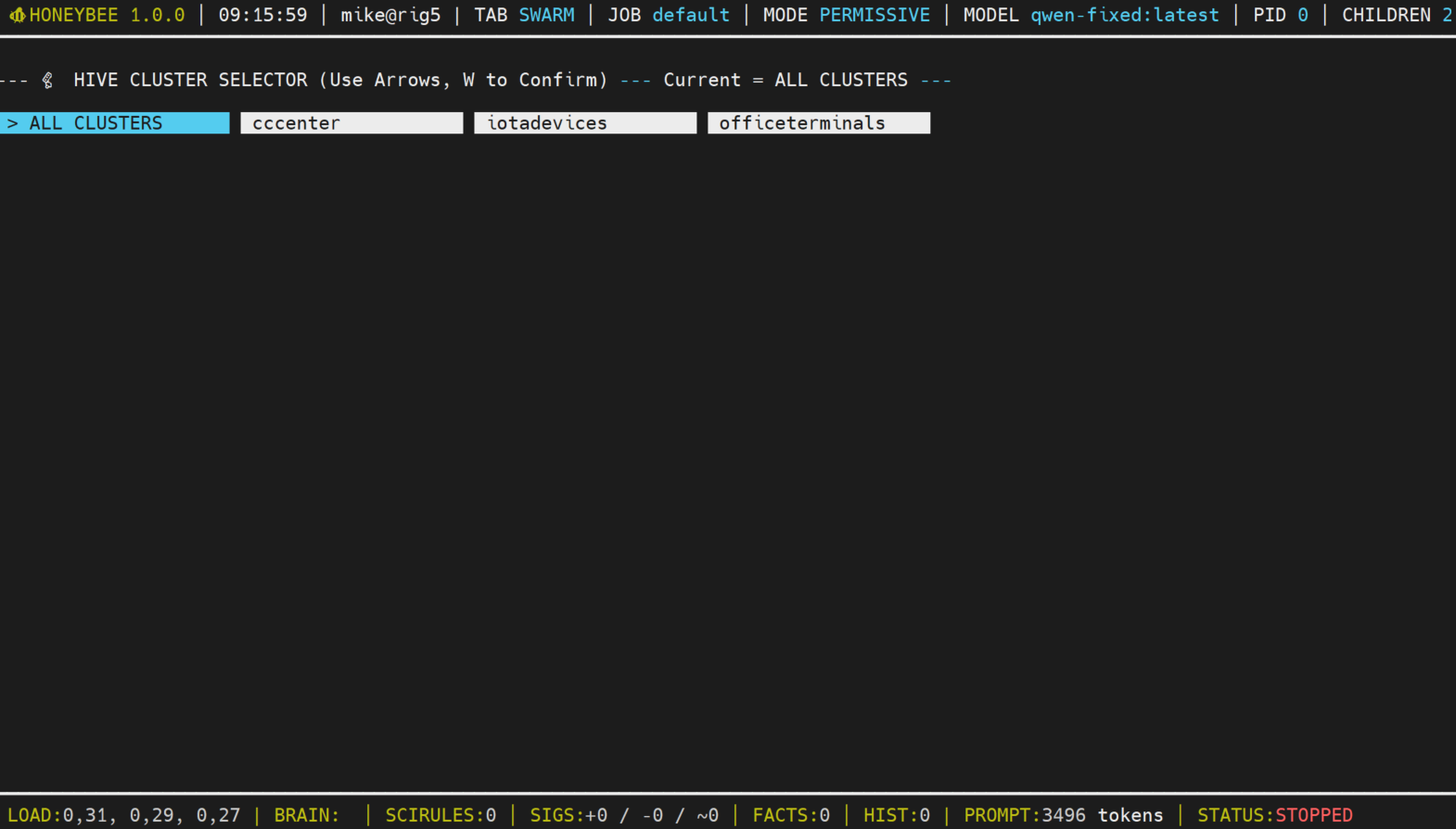
Manage a HIVE of bee's across many subnets with direct execution, heartbeat and status reporting, no middleware, cluster support, remote control and more.
✔ Hive control tracking running jobs
✔ Automated termination & restarts
✔ Continuous, Daily and hourly triggers
✔ Enables Cluster and Bee management in the monitor
The Hive component requires upgrading. Read more about the Hive component
Bee is in continuous development. Currently LLM support for Ollama and Cloud Gemini is available. More options are following soon.
If you have questions about HoneyBee then visit the Discord server "HoneyBee"
Join our Discord
The HoneyBee Bash system is a personal project. Having lived on Nix for decades i felt it was time i automated some of that work and gain back some time.
If you like to support the project please link, contribute, donate or join the discord.

LINK TO US
CONTRIBUTE
DONATE
JOIN DISCORD [HoneyBeeBash]
[SYSTEM] Initializing HoneyBee Agent...
[HIVE] Link: Detected and signalling
[ALERT] Service 'nginx' is DOWN on Worker 192.168.1.66
✔ Signature Check Passed (Auth: Sysop)
[CMD] Executing: sudo systemctl restart nginx && tail -n 20 /var/log/nginx/error.log
[LLM] Reasoning: "Restart executed. Checking logs for root cause..."